
Which Videos Make the Best Short Clips? A Creator's Guide
Streams, podcasts, reactions, interviews, gaming: learn which long videos turn into the best viral short clips, and how to get more from every upload.
Not every video clips equally well. The best source material has moments that make sense on their own, hook a stranger in a second and pay off before the scroll. Here is what works, what works less, and how to get the most out of each type with Dramanado.
Videos where someone talks or reacts
When someone tells a story, argues, laughs or reacts, there is almost always a line that lands, and a great clip can be built around it. These formats consistently give strong clips:
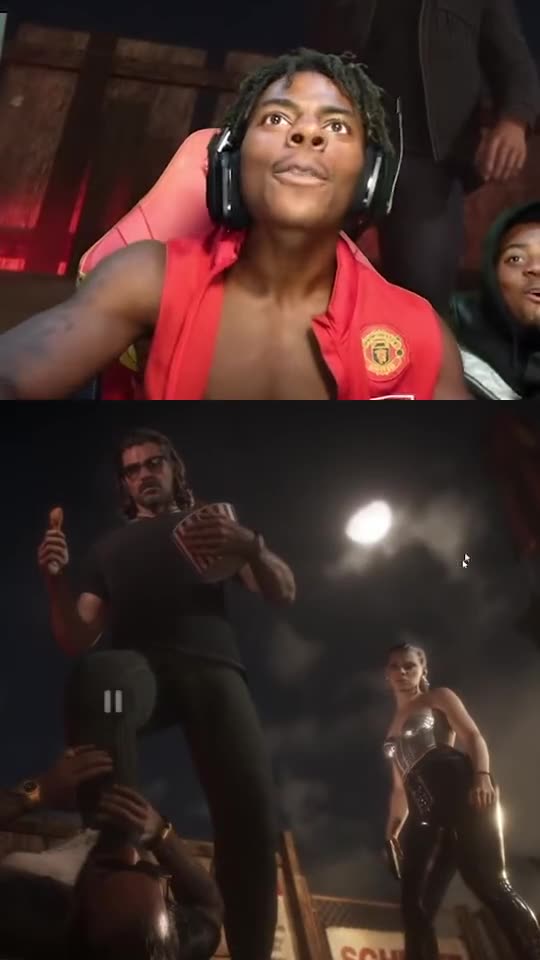
- Streams and VODs: reactions, rage moments, chat interactions, big plays. See clips for streamers.
- Podcasts and interviews: hot takes, stories, advice, disagreements. See podcast to clips.
- Reactions: the face says it all, and the reframing keeps it in shot.
- Talking-head videos: tips, explainers, rants, opinions.
- Vlogs and IRL streams: unexpected moments and encounters.
- Debates and comedy: punchlines and comebacks are natural clip endings.
Gaming and action without commentary
No voice? It still works. Dramanado picks the strongest moments in gameplay and action footage too, even when nobody talks. Commentary is a bonus, not a requirement. See clips for gaming creators.
What makes a moment clip-worthy
- It stands alone. A viewer who never saw the full video understands it.
- It starts strong. A question, a claim, a shout or a surprise in the first seconds.
- It pays off. A punchline, a reveal, a result or a reaction at the end.
- It has emotion. Laughter, anger, shock, excitement or tension.
These are the moments that tend to perform best in short-form feeds, and the viral score on each clip helps you spot them. Learn more in viral moment detection.
Videos that clip less well
- Long silent sections with nothing happening on screen.
- Content that only makes sense with a lot of context, like part 7 of a long tutorial.
- Very poor sound quality, which makes clips hard to follow for viewers.
- Videos you do not own and have no permission for: platforms may flag them as unoriginal. Read clipping, copyright and permission.
Help the AI with the video type and a brief
The video type (podcast, talking head, gaming, reaction, sport, vlog/IRL, comedy) is set automatically and the editing adapts: pacing, zooms, cuts and effects. You can also set it yourself. Add a short brief like 'keep only the moments where he talks about money' to steer the selection.
How long should my source video be?
Anything from 5 seconds to 70 minutes per project. Longer content gives the AI more moments to choose from; for longer VODs, pick a 70-minute range.
Can I tell the AI which moments to keep?
Yes. Write a short brief in the setup, like keep only the funniest moments or focus on concrete tips. The AI follows it when picking moments and writing titles.
Can I clip a music video or a movie?
Only if you own it or have permission. Clips of content you do not own risk being demonetized or flagged.
Try it on your own video
Paste a Twitch, Kick, YouTube or TikTok link and get captioned clips in minutes.