
AI Clips for Streamers: Turn Every Stream into Short Videos
Streamers on Twitch and Kick: turn every VOD into vertical TikTok, Shorts and Reels clips with stacked facecam, captions and effects, without hiring an editor.
Short-form clips are one of the main ways streamers get discovered today. A viewer finds you through a 60-second clip, then shows up to the next stream. The catch: clipping every stream takes hours you would rather spend streaming. Dramanado turns each VOD into ready-to-post clips while you rest.
Why streamers clip
- Discovery: live directories are crowded; short-form feeds show your best moments to people who have never heard of you.
- Retention: clips remind your community of what they missed.
- Income: TikTok pays original videos over 1 minute, YouTube shares Shorts revenue with partners. See make money with TikTok clips.
A simple after-stream routine
- After the stream, copy the VOD link from Twitch or Kick.
- Paste it in the dashboard and pick your best 70-minute range.
- Keep your saved settings: your last settings are remembered.
- Launch, and download the clips once they are ready.
- Schedule them over the week with the ready-made hook, description and hashtags.
Platform guides: Twitch VOD to TikTok clips and Kick stream clips.
Made for stream layouts
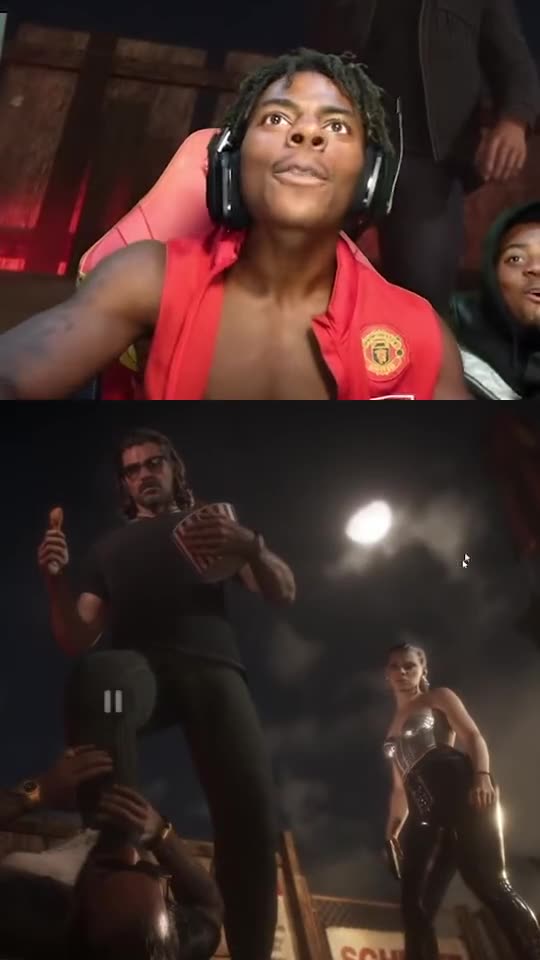
Your facecam and gameplay are stacked automatically in the vertical frame, so viewers see both the play and your reaction. The AI picks the strongest moments, and even clutch plays without commentary can make the cut. See smart vertical reframing.
Settings streamers like
- Video type: Gaming, Reaction or Vlog/IRL, or Auto.
- Zooms, emojis and sound effects on, for energy.
- Hide swear words in the captions when the stream gets heated.
- Freeze frame or Glitch endings for fails and big moments.
- Monetizable 61-90 s once you are eligible for TikTok rewards.
Working with a clipper
If someone clips for you, they can use Dramanado with your permission. Agree on where clips go and how revenue works. See clips for agencies and clippers.
Long streams, several passes
Each project covers up to 70 minutes. For a four-hour stream, pick your best hour first, then run more projects on other parts if you want more clips. You run one project at a time, so launch them one after another. Clips stay downloadable for 7 days, so grab them before they expire: see downloading your clips.
How many clips can I get from one stream?
On Auto, the number of clips adapts to the length of the range you pick; you can also set it yourself. Run more projects for other parts of the stream.
Do I need to set up a facecam layout?
No. Facecam and gameplay are stacked automatically.
Can someone else clip my streams with Dramanado?
Yes, with your permission. They confirm it on every project.
Try it on your own video
Paste a Twitch, Kick, YouTube or TikTok link and get captioned clips in minutes.